
How it works
Three steps. The other person does almost none of them.
1. Build your card in 60 seconds
Sign in with Google or a work Microsoft account and your card is already half-built — your photo and your name come across automatically, straight from that account.
Add your title, company, and whatever else you want on it: contact details, socials, and one custom button that sends people wherever you need them ("Book a meeting," "View my listings"). Name, company, title — that's the only must. Everything else is there when you want it.

2. Share it with a look or a link
Show your QR code and let someone point their phone camera at it, or tap Copy Link and drop it into WhatsApp, a text, an email — anywhere. No special app on either side. That's the entire ask on your part.
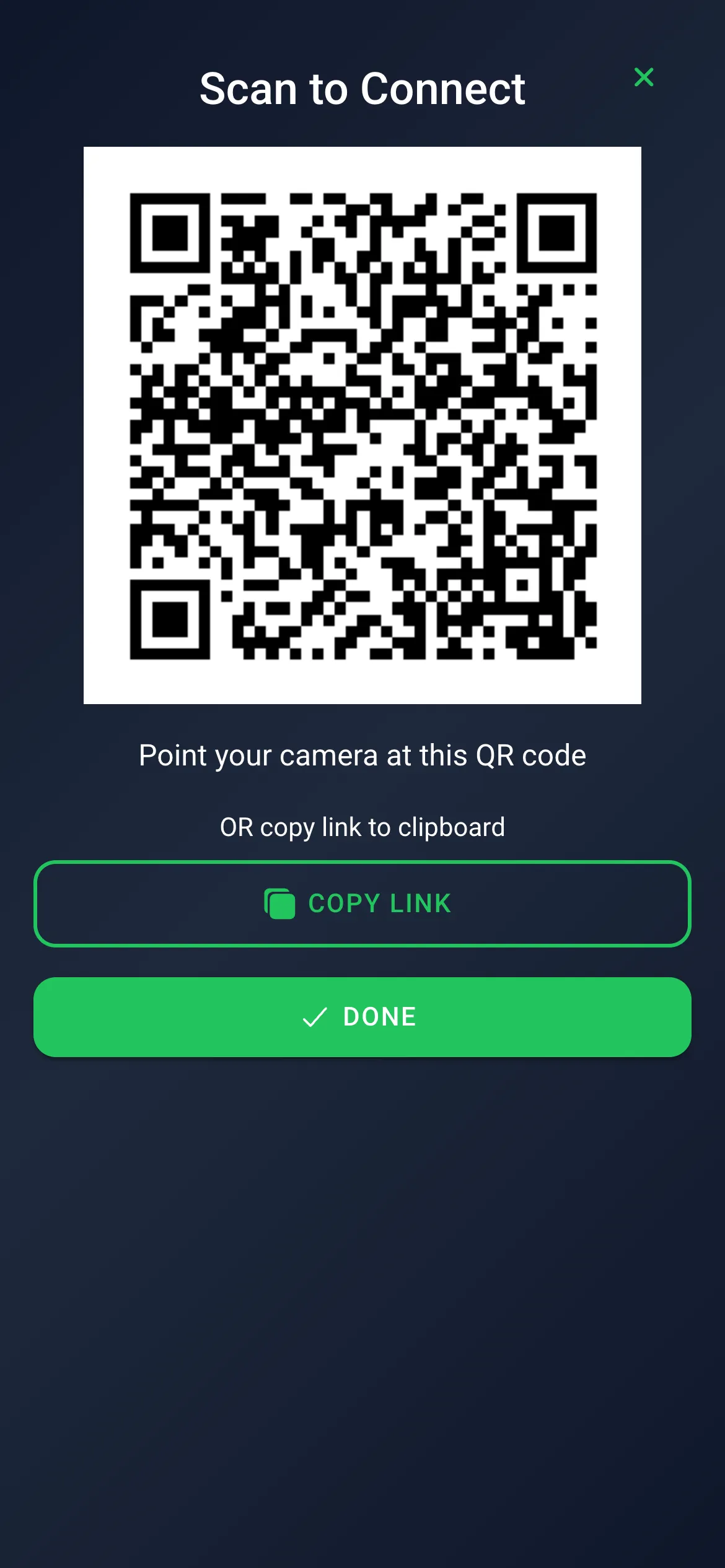
3. They get you — no app, no account, no sign-up
Here's where DropCard stops working like everyone else.
The moment your card opens on their phone, they see the whole thing — your photo, title, details, socials, your button — with nothing to download and no wall in the way. One tap saves you straight into their phone's contacts. No account. No sign-up. No forced form. If they want to leave a way for you to reach them back — name, phone, work email — that's a single optional, skippable step after the save, never before it.
If they want the full thing — a two-way connection where you both keep each other's card and see each other's updates — they can sign in too. But they never have to. The card is never held hostage behind a login, not even for a second.
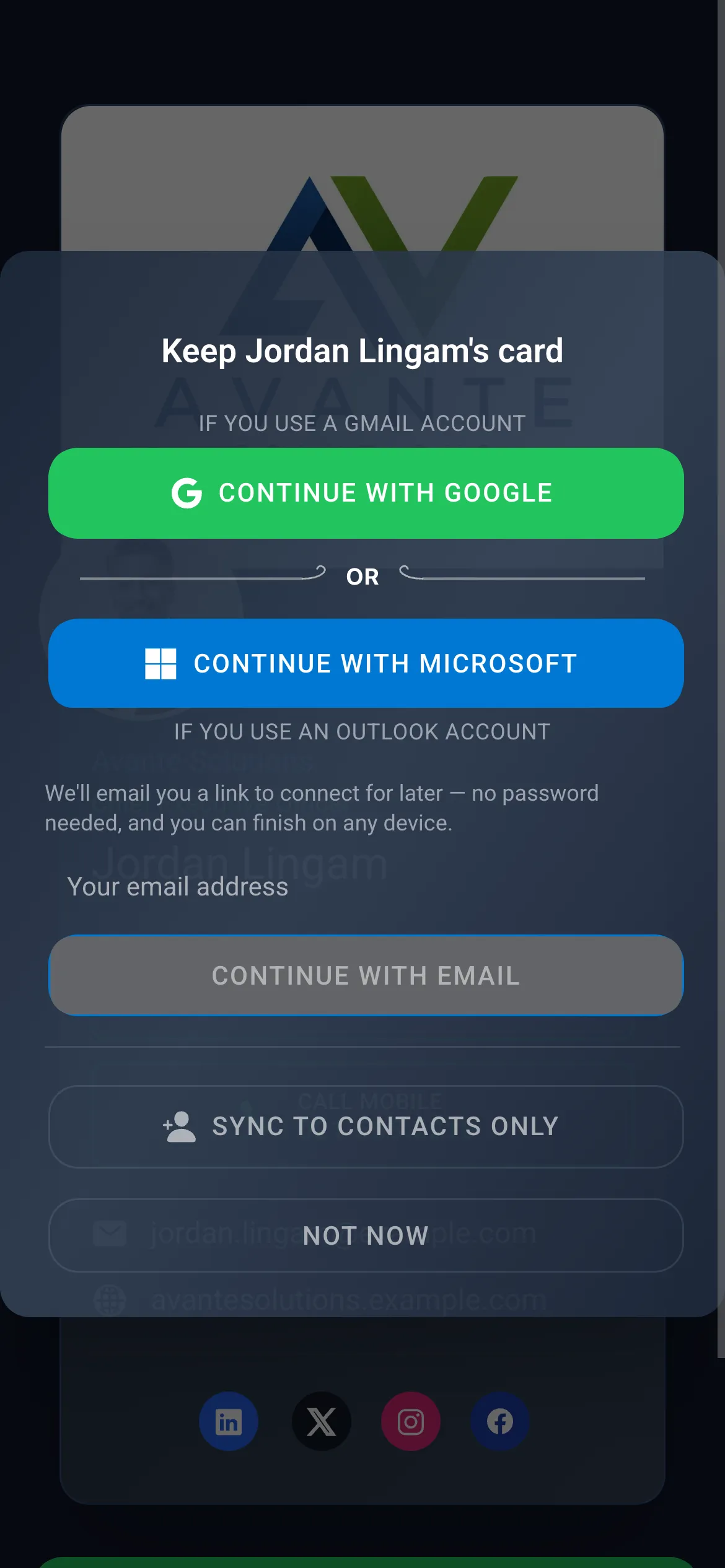
After that, your card does the work
- It stays current. Change your number or your title once and everyone you've shared with sees the new version — no reissuing, no "here's my new card."
- Your contacts are actually usable. Everyone you connect with lands in a swipeable deck you can call, email, or annotate with private notes.
- It lives on your home screen. Install it from the browser and it behaves like any other app — no App Store, no download queue.
- It just works. The contacts page was rebuilt from the ground up for speed and reliability — same swipe, sort, and edit you already know, built to not buckle under real-world use.
Next up: your card starts making introductions
The next thing shipping is a card that does more than sit in someone's pocket — it starts working your network for you. Meet someone who should meet someone else you already know? From their card, pick who they should be introduced to, and both sides land in each other's contacts automatically — as if they'd swapped cards in person. No group chat, no "let me connect you," no forgotten follow-up.
Everyone stays in control: an owner can turn off being re-shared at any time.
Ready in a minute. Free for good.
Get DropCard AI →Questions, answered
Do you need an app to receive a DropCard?
No. The card opens in any phone browser, and the recipient can save your details straight to their contacts in one tap — no app and no account.
Is DropCard really free?
Yes — the digital card is free forever, with every feature included and nothing capped. There's no trial and no subscription for the card.
How is the card free when other apps charge?
Because the things DropCard AI will charge for sit elsewhere in the business, not in the card. DropCard serves as a proof of concept for larger enterprises who need their own bespoke business card app, designed around their branding and built to keep their user data under their own control. We build those paid AI solutions and integrations for them, on their own white-labeled app store listings. Most rivals have to cap their free tier because the card is their paid product — DropCard doesn't, because it isn't.
Can someone save my details without signing up?
Yes. One tap saves your card to their phone's contacts with no account. Leaving a way to reach them back is an optional second step they can skip.
Do I have to download anything to use DropCard?
Install DropCard however suits you — straight from the browser to your home screen, or from the App Store or Google Play. And anyone receiving your card needs nothing at all.
Can I use my work Microsoft account?
Yes. You can sign in with Google or a work Microsoft account, and both are treated the same throughout.
How is it different from a paper business card?
Your details stay current — update once and everyone you've shared with sees the change. You share by QR code or link, the other person saves you instantly, and you never run out.
Does it work on both iPhone and Android?
Yes — DropCard runs in the browser on both. On iPhone, adding it to the home screen is done from Safari.
Does DropCard show ads?
No. There are no ads in DropCard. The card is free because DropCard's paid products are separate — so there's no reason to fill your card with advertising or sell your attention. Your data stays yours.
How do I delete my account?
Ask us on the delete account page and we'll remove your account, your card, and every connection tied to it. You don't need to be signed in or have the app installed to make the request.
Can people hear my card?
Yes — write a few lines about what you do and DropCard turns them into a short spoken pitch anyone can play straight from your card. No app, no account, and it's free like everything else on the card.